-
How to Monitor System Logs Effectively: From Commands to Centralized Alerting

I've spent years hunting phantom errors through scattered log files, and honestly? Solid log monitoring isn't just helpful—it's the difference between sleeping through the night and getting paged at 3 AM because production's on fire. This guide covers everything I've learned the hard way: the command-line tools that'll save you during outages, centralized setups that actually scale past twenty servers, and alerting systems that catch problems before your users start tweeting about them.
Mastering Native Log Access Tools
Here's what I love about native log tools—they don't need fancy infrastructure. When everything's burning and your centralized logging platform is ironically part of the problem, these are what keep you sane. I use journalctl daily on Linux systems because it queries the systemd journal through indexed metadata instead of grepping through text files like it's 1995. Windows admins rely on PowerShell's Get-WinEvent cmdlet for structured filtering, and if you're running containers, docker logs and kubectl logs become your lifeline for grabbing those ephemeral stdout/stderr streams before they vanish.
Linux: journalctl for Systemd Environments
The systemd journal is basically a structured database for your logs. Instead of parsing text character by character, it queries rich metadata—which means your searches run fast even when digging through millions of entries. I've had searches complete in under a second that would've taken minutes with grep.
Pull service-specific errors from the past hour:
journalctl -u nginx.service --since "1 hour ago" -p errThis grabs only ERROR-level messages and above (
-p err) from nginx within your time window. The-uflag targets the specific service unit, time bounds keep results manageable. Simple, but it works.For real-time monitoring, the follow flag is something I use constantly:
journalctl -f -u application.serviceYou can stack filters too. Tracking down authentication failures for a specific user?
journalctl _UID=1000 --since today -p warningThe difference between this and grepping /var/log files? Night and day. When you're filtering across long time ranges or massive log volumes, journalctl's binary index makes it near-instantaneous. Text scanning... doesn't.
Windows: PowerShell Event Log Queries
PowerShell's Get-WinEvent with
-FilterHashtabledoes server-side filtering, which cuts network overhead to almost nothing compared to piping entire event logs throughWhere-Object. I learned this the expensive way after waiting 90 seconds for a query that should've taken three. Not my proudest moment.Find failed login attempts from the Security log:
Get-WinEvent -FilterHashtable @{LogName='Security'; ID=4625; StartTime=(Get-Date).AddDays(-1)}Event ID 4625 equals failed logon. This pulls just those events from the past 24 hours, processing millions of security entries efficiently because the filtering happens server-side instead of shipping everything across the network first.
Remote querying works the same way:
Get-WinEvent -FilterHashtable @{LogName='System'; Level=2} -ComputerName WEBSRV01Level 1-2 catches Critical and Error events from remote systems. No agents, no extra installs—just works.
Container Logs: Docker and Kubernetes
Docker containers dump application output to stdout/stderr, and the runtime captures it through logging drivers. Check logs from a running container:
docker logs --tail 100 --timestamps nginx-containerThe
--sinceflag lets you filter by time,-ffollows new output in real-time. But here's the catch that bit me early on: the default json-file driver stores everything on the host filesystem. Two problems—logs vanish when you remove containers, and if you don't configure rotation, you'll exhaust disk space. I've watched this kill production servers. Not fun.Kubernetes pods? Even more ephemeral. When a pod crashes and restarts, kubectl logs with
--previousgrabs logs from the terminated instance:kubectl logs crashed-pod --previous -c application-containerMulti-container pods need the
-cflag to specify which container's logs you want. Label-based queries aggregate across replica sets:kubectl logs -l app=web-frontend --tail=50This ephemeral nature—pods getting rescheduled to different nodes, scaled up and down, replaced entirely—makes local log storage basically useless for anything beyond immediate debugging. You need centralized aggregation. Not "should have." Need.
Architecting Centralized Log Aggregation
Centralized log aggregation solves the core problem of distributed systems: how do you correlate events when your infrastructure is constantly appearing and disappearing? Modern setups collect logs from everywhere into one backend that persists data beyond container lifecycles, enables cross-service correlation, and provides searchable audit trails for compliance folks who ask uncomfortable questions.
Why Centralization is Non-Negotiable
Distributed apps generate log streams across dozens or hundreds of pods that might exist for minutes before vanishing into the void. Kubernetes schedules pods on different nodes, which creates absolute chaos when you're troubleshooting issues spanning multiple services. Without centralized storage, investigating a failed transaction means SSH-ing to multiple nodes, manually reconstructing timelines like some kind of detective, and losing historical data when pods terminate. It's exhausting.
Then there's compliance. PCI-DSS and HIPAA mandate retention periods that far exceed any individual container's lifespan. Centralized, immutable storage isn't a best practice—it's a regulatory requirement that'll get you fined if you mess it up.
Platform Architecture Comparison
The log management market basically splits on one fundamental question: do you index everything or just metadata?
Platform Architecture Indexing Model Query Language Best For ELK Stack Beats/Logstash → Elasticsearch → Kibana Full-text indexing of all content Lucene Query Syntax Deep forensics, complex aggregations, security analytics Grafana Loki Promtail → Loki → Grafana Indexes only metadata labels LogQL (PromQL-inspired) Cost-sensitive environments, metrics correlation, DevOps workflows Splunk Forwarder → Indexer → Search Head Full-text with search-time schema SPL (Search Processing Language) Enterprise SIEM, compliance, mature security operations ELK Stack (Elasticsearch, Logstash, Kibana)—or its open-source fork OpenSearch—gives you unmatched full-text search power. It indexes every field in every log entry. You can run queries like "find all 500 errors containing 'database timeout' from the payments service in eu-west during the last 7 days" and get instant results. It's powerful.
The cost? Storage and compute requirements scale linearly with log volume. Maintaining those inverted indexes typically consumes 3-5x the raw log data size. I've seen Elasticsearch clusters eating terabytes while the actual logs would fit in a few hundred gigabytes.
Grafana Loki does the opposite—it only indexes metadata labels (think Prometheus-style), storing compressed log lines in object storage like S3. Queries have to filter by labels first:
{app="nginx", level="error"}. Then it scans the matching subset. This approach slashes indexing overhead and storage costs—I'm talking 10x cheaper than Elasticsearch in some cases.But broad full-text searches across unlabeled data? Painfully slow. The real win is the seamless Grafana integration. You can pivot from a metrics spike directly to the corresponding logs without switching tools or losing your train of thought. That's worth a lot during incident response.
Splunk is the enterprise option with mature search-time field extraction that doesn't need predefined schemas, extensive pre-built apps for security and IT ops, and solid role-based access controls. Licensing runs on daily ingestion volume and often exceeds $1,000 per GB annually. Unless you've got compliance or security mandates justifying that spend, it's tough to swallow for high-volume environments. I've had budget conversations about Splunk that got... tense.
Log Shipper Deployment Pattern
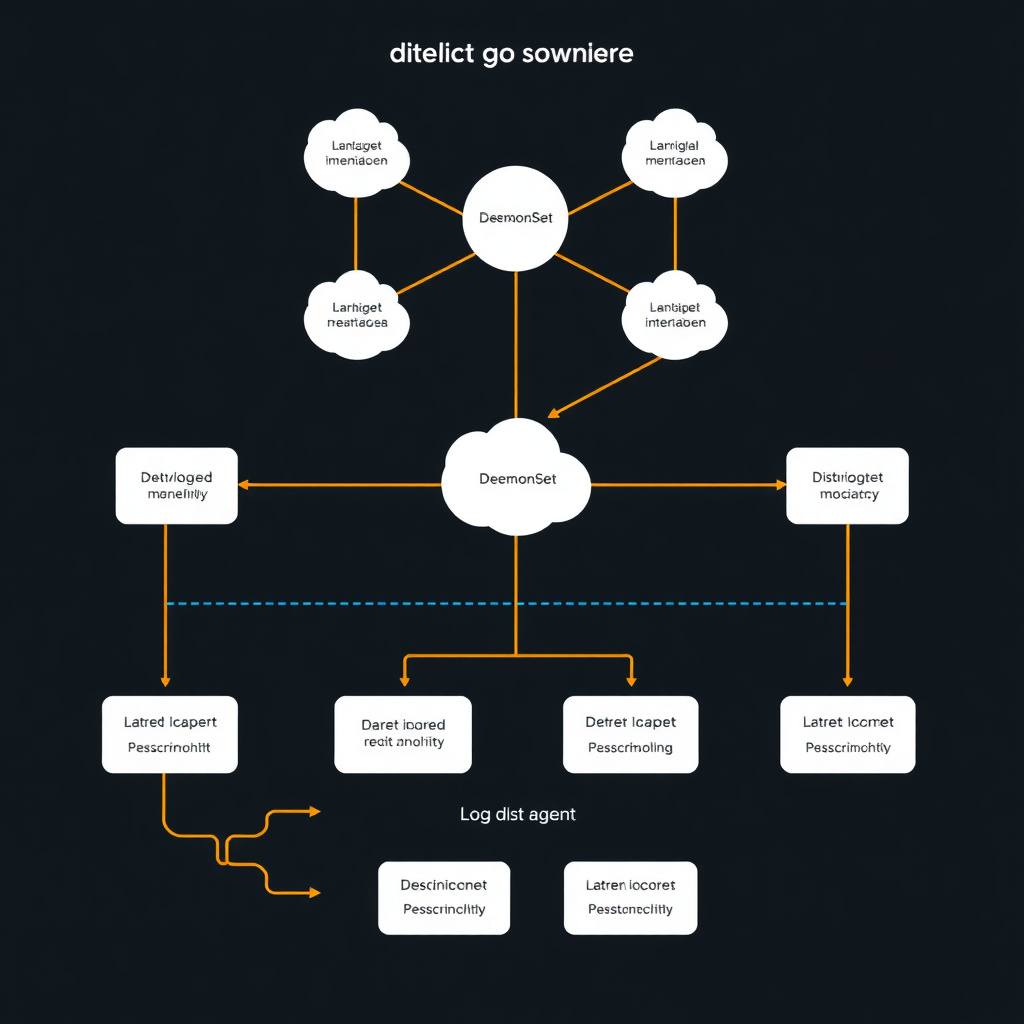
The DaemonSet pattern guarantees exactly one log shipping agent on every node. As nodes come and go, the orchestrator automatically handles agent scheduling. Fluentd or Fluent Bit mounts the host's
/var/log/pods/directory, tails container log files, and enriches each entry with Kubernetes metadata—pod name, namespace, labels—by querying the API server. That enriched data flows to your centralized backend where it's immediately queryable with full context about where it came from.The sidecar pattern deploys a logging agent in each app pod instead. More resource overhead, requires deployment manifest changes, but it works for apps that write to files instead of stdout. Sometimes you don't get to choose.
Executing Practical Log Queries
Good log querying is all about constraining scope strategically. Time bounds, metadata tags, severity levels—these reduce the data you're scanning from terabytes to megabytes. A 30-second query becomes sub-second. It's the difference between useful and unusable.
Scenario 1: Isolate Application Errors in the Past Hour
Users start reporting errors around 2 PM. Lock the search to that window and error-level messages:
journalctl -u myapp.service --since "2026-11-15 14:00" --until "2026-11-15 15:00" -p errThis returns only ERROR, CRITICAL, ALERT, and EMERGENCY messages from myapp.service in that one-hour window. Millions of INFO and DEBUG entries? Gone. You're looking at maybe a few hundred lines instead of a few million.
Scenario 2: Follow Container Logs in Real-Time
Debugging live behavior means streaming new entries as they're generated:
kubectl logs -f deployment/web-frontend -c nginx --tail=20-ffollows the log,--tail=20shows the 20 most recent lines before entering follow mode,-c nginxspecifies the sidecar container in multi-container pods. Simple workflow, but it catches so many issues early.Scenario 3: View Previous Pod Instance After Crash
When a pod hits CrashLoopBackOff, the running instance's logs might just show startup messages—not the actual crash. The
--previousflag grabs logs from the terminated container:kubectl logs crashed-application-pod --previousStack traces and fatal errors from right before termination. That's where the answers are. I can't count how many times this has saved me hours of blind debugging.
Scenario 4: Filter Windows Security Events
Track down failed RDP login attempts on a specific server:
Get-WinEvent -FilterHashtable @{LogName='Security'; ID=4625; StartTime=(Get-Date).AddHours(-24)} -ComputerName APPSERVER03 | Select-Object TimeCreated, MessageEvent ID 4625 equals failed logon. Server-side filtering via FilterHashtable plus selecting only TimeCreated and Message fields minimizes what you're transferring over the network. Keeps queries fast even when the Security log is massive.
Normalizing and Parsing Log Data
Raw logs show up in every format imaginable—syslog, JSON, Apache Common Log, Windows Event XML. You've got to transform all that into consistent, queryable structures. Good parsing extracts meaningful fields from unstructured text, normalizes timestamps across timezones (this matters more than you'd think), and enriches entries with context before storage.
Structured logging sidesteps the whole mess by emitting JSON logs directly from apps. Instead of parsing a line like
2026-11-15 14:23:17 ERROR UserService - Failed to authenticate user john.doewith fragile regex that breaks every time someone tweaks the format, structured logs give you:{"timestamp":"2026-11-15T14:23:17Z","level":"ERROR","service":"UserService","message":"Failed to authenticate","username":"john.doe"}No Grok patterns needed. No regex extraction nightmares. Immediate querying by service, level, or username. I push for structured logging in every new project because it eliminates so much downstream pain.
For legacy apps spitting out unstructured text, Grok patterns provide a library of reusable regular expressions.
%{COMBINEDAPACHELOG}parses Apache access logs into IP, timestamp, HTTP method, URL, status code, bytes transferred. Custom patterns handle proprietary formats:%{TIMESTAMP_ISO8601:timestamp} %{LOGLEVEL:level} %{JAVACLASS:class} - %{GREEDYDATA:message}This pulls timestamp, log level, Java class name, and message from typical Java app log lines. Not elegant, but it works.
Field extraction unlocks analytical queries. Extract HTTP status codes from web server logs and you can filter for all 5xx errors:
status:>=500. Response time extraction enables latency analysis:response_time:>1000finds slow requests exceeding one second. Suddenly your logs become queryable data instead of just text.Log enrichment adds metadata that wasn't in the original log. Fluentd plugins enrich Kubernetes logs with pod namespace, deployment name, labels by querying the Kubernetes API. A bare container log becomes a fully-contextualized entry queryable by environment (prod vs staging), team ownership via labels, application version. This context is what makes troubleshooting distributed systems actually possible.
Implementing Automated Alerting
Automated alerting turns passive log collection into active incident detection. It continuously evaluates log-derived metrics against thresholds and fires notifications when things breach acceptable bounds. This shifts you from reactive troubleshooting (something broke, now fix it) to proactive anomaly detection (something's breaking, stop it now).
Log-based metrics bridge text logs and quantitative alerting. A Prometheus counter incremented for each error-level log line converts qualitative events into time-series data that supports rate calculations and threshold comparisons. Fluentd or Vector parse logs in real-time, extract severity levels, expose counters like
log_messages_total{level="error", service="checkout"}that Prometheus scrapes every 15 seconds. It's elegant once you've got it running.Alerting rules in PromQL define trigger conditions:
alert: HighErrorRate
expr: rate(log_messages_total{level="error"}[5m]) > 0.05
for: 2m
annotations:
summary: "Error rate exceeds 5% for 2 minutes"This fires when the error rate sustained over 5-minute windows exceeds 5% for two straight minutes. Filters transient spikes while catching sustained degradation. You don't want alerts firing every time someone fat-fingers a request.
Alertmanager receives alerts from Prometheus and manages the notification lifecycle—deduplication, grouping, routing. Multiple alerts from a cascading failure get grouped into one notification to prevent alert storms that fill your phone with 50 identical messages. Silences suppress alerts during maintenance windows. Routing trees send critical database alerts to PagerDuty for immediate response while capacity warnings go to Slack channels where they won't wake anyone up.
Integration with Grafana visualizes log-derived metrics alongside application metrics. When error rates spike, a dashboard showing HTTP request rates, error percentages, and database query latencies in adjacent panels makes root cause analysis way faster. You can see the correlation immediately instead of jumping between tools.
Measuring Alert Effectiveness
Alert effectiveness metrics prevent two failure modes: alert fatigue (too many false positives) and missed incidents (too few true positives). Both will wreck your on-call rotation.
Mean Time to Detect (MTTD) measures the gap between an incident starting and an alert firing. Optimizing MTTD means tuning evaluation windows and thresholds to catch issues before customers notice. A 30-second MTTD is solid. Five minutes might be too slow depending on your SLAs.
Mean Time to Resolve (MTTR) spans detection through fix. Rich alert annotations with runbook links and relevant dashboard URLs cut MTTR by accelerating investigation. When you get paged at 3 AM, you don't want to spend ten minutes figuring out what's broken—you want to know immediately.
False positive rate should stay below 5% to maintain trust in the alerting system. Sustained rates above 10% lead to alert blindness—teams start ignoring or muting notifications because they've learned most alerts are noise. I've seen on-call rotations destroyed by terrible alert hygiene. Baseline measurements establish normal error rates and latency distributions, enabling dynamic thresholds that adapt to traffic patterns instead of static values that generate noise during peak hours.
Managing Retention, Rotation, and Security
Log retention balances operational needs for historical analysis against storage costs and regulatory mandates. Security controls prevent unauthorized access and data leaks that turn into compliance nightmares. Strategic policies define what you keep, how long, and who gets access.
Retention and Rotation
Compliance frameworks mandate minimum retention based on data sensitivity and industry sector:
Standard Minimum Retention Scope PCI-DSS 1 year (3 months immediately available) Payment card transaction logs HIPAA 6 years Healthcare records access logs GDPR No specific period; "no longer than necessary" EU personal data processing logs Storage tiering optimizes costs by moving older logs through hot → warm → cold tiers. It's like memory hierarchy but for logs.
Hot storage (SSDs, indexed databases) gives you sub-second queries for recent logs—typically 7-30 days. This is what you're hitting during active incidents. Warm storage (HDDs, compressed indexes) handles monthly analysis and compliance reporting, covering 30-90 days. Cold storage (object storage like S3 Glacier) archives logs for legal hold and audit trails—1+ years at roughly 1/10th the cost of hot storage. You accept minute-scale retrieval latency, but for year-old logs that's fine.
Local log rotation on individual hosts prevents disk exhaustion via the logrotate utility. Config in
/etc/logrotate.d/application:/var/log/application/*.log {
daily
rotate 14
compress
delaycompress
missingok
postrotate
systemctl reload application.service
endscript
}Daily rotation, keeps 14 copies, compresses old logs except the most recent one, signals the app to reopen log file handles after rotation. Set it and forget it.
Security Best Practices
Access control via RBAC restricts log visibility to personnel with legitimate need. Devs see only their app's logs, security teams view auth and firewall logs, compliance auditors get read-only audit trail access. Centralized platforms like Elasticsearch and Grafana implement fine-grained permissions at the index or namespace level. This isn't optional—it's basic security hygiene.
PII masking and sanitization prevents sensitive data leaks that turn into regulatory fines. Credit card numbers, SSNs, passwords—these should never be logged in the first place. But defensive measures catch accidental exposure. Log processing pipelines apply regex to redact or hash sensitive fields:
credit_card: "****-****-****-1234". Email addresses and IPs require careful handling under GDPR—anonymization or pseudonymization techniques balance investigative utility with privacy requirements. It's a tradeoff, but privacy wins.Encryption protects log data at rest (storage encryption via LUKS or cloud provider KMS) and in transit (TLS 1.2+ for shipper connections). Tamper-evident audit logs use cryptographic signatures or append-only storage to detect unauthorized modifications—critical for forensic integrity in security investigations. If someone's broken in and modified logs to cover their tracks, you need to know.
Troubleshooting Common Logging Failures
Log pipeline failures show up as missing entries, parsing errors, or excessive latency between event generation and searchability. Systematic diagnosis goes from source to destination, verifying each component's health and connectivity. I've debugged enough of these to have a checklist.
Diagnostic Checklist for Missing Logs:
- Verify application logging: Confirm the app writes to stdout/stderr or expected log files. Check app config for disabled logging or overly restrictive levels—DEBUG vs ERROR makes a huge difference. Test with a known log entry like a manual API call that should generate access logs. If that doesn't show up, the problem's at the source.
- Confirm shipper agent health: Check the log collection agent is running:
systemctl status fluentdorkubectl get pods -n logging. Review agent logs for errors—permission denied means it can't read source files, out of memory means insufficient resources, config syntax errors are self-explanatory but surprisingly common. - Test network connectivity: Verify the agent can reach the centralized backend. Kubernetes NetworkPolicies might block traffic to external logging services. DNS resolution failures prevent hostname-based connections. Use
telnet logging-backend 9200orcurlto test from the agent's network context, not your laptop. - Review backend health: Check Elasticsearch cluster status (
GET /_cluster/health), Loki readiness endpoints, database disk space. Ingestion failures often come from full disks, circuit breakers triggered by memory pressure, or rejected writes when indices are read-only. These manifest as silent log loss. - Inspect parsing rules: Logs that don't match expected formats might be silently dropped. Enable debug logging in the shipper to see rejected entries, then update Grok patterns or field extraction rules for format changes—app version updates often modify log structures without warning. This has burned me more times than I'd like to admit.
Agent Buffer Overflow: Log shippers buffer entries in memory or on disk when the backend's slow or unreachable. When buffers fill, agents either block new log collection (bad) or drop recent entries (also bad). Monitor buffer utilization metrics, increase
total_limit_sizein Fluentd configs, or allocate more memory to agent pods. Persistent disk buffers survive agent restarts—prevents data loss during brief outages, but you need to size them appropriately.Timestamp Compatibility: Mismatched timestamp formats between shippers and backends cause ingestion failures that are annoying to debug. Elasticsearch rejects logs with timestamps more than 18 hours in the past or 10 minutes in the future to prevent index corruption. Normalize timestamps to ISO 8601 format (
2026-11-15T14:23:17Z) during parsing. Configure shipper timezones to match app servers when logs lack explicit timezone info, or you'll spend hours chasing phantom time-travel bugs.Conclusion
Look, effective log monitoring isn't rocket science—but it does progress systematically. Start with native tools like journalctl and kubectl logs for immediate troubleshooting. Move into centralized aggregation with Grafana Loki or ELK Stack once you've got more than a handful of servers. Implement automated alerting via log-derived metrics and Prometheus when you're tired of finding out about problems from users instead of your monitoring. Embed security and retention policies from the beginning to handle compliance frameworks like PCI-DSS and HIPAA while optimizing storage costs through tiering.
I'd suggest starting with command-line proficiency—you need those skills during outages when everything else is broken. Then implement centralized collection incrementally: critical services first, expand to full infrastructure coverage once you've proven the setup works. Establish alerting thresholds based on baseline measurements, not arbitrary values you pulled out of thin air. Tune false positive rates below 5% to keep your team responsive instead of numb to alerts.
This measured approach builds monitoring maturity from reactive log checking (something broke, now I'm digging through logs) toward proactive observability that catches anomalies before customers notice. Logs stop being diagnostic artifacts you consult after the fact and become operational intelligence that drives reliability and security outcomes. That shift is worth the effort.